
Simplify the installation and management of Docker containers through a guided command line interface.
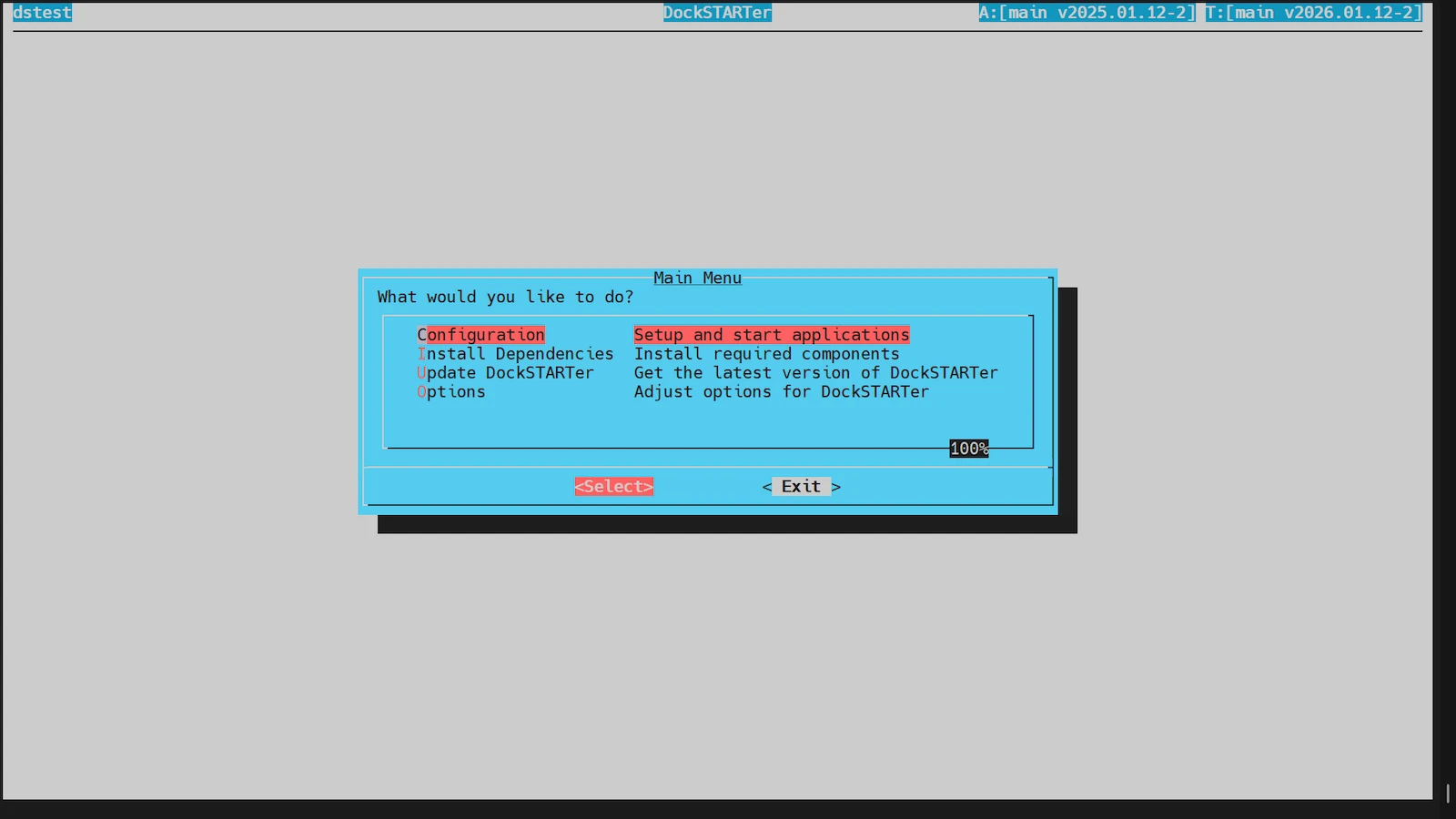
DockSTARTer is an open-source server application that simplifies the installation and management of Docker containers. It provides a guided command line interface to help users deploy various applications without requiring manual configuration of complex files. The software is designed to run on a variety of Linux distributions and MacOS, acting as a bridge between a fresh operating system installation and a fully functional containerized environment.
Users deploy the software via a shell script that prepares the host system and installs the necessary dependencies. Once installed, the application is accessed through a terminal command, which opens a menu system for configuring the environment and selecting which containers to start. It is primarily used for home labs and home theater PCs where a simplified deployment process is preferred over manual command line entries. The tool handles the initial setup of the Docker daemon and ensures the system is ready for container orchestration.
Key features
- Guided command line interface for Docker setup
- Support for Debian, Ubuntu, and Raspbian
- Compatibility with Fedora, Arch, Manjaro, and EndeavourOS
- Installation support for CentOS and Alpine Linux
- MacOS compatibility via Homebrew
- Menu-driven configuration for selecting applications
- Automated container startup process
- Integration with LinuxServer.io Docker images
The software acts as a wrapper for Docker and Docker Compose, automating the creation of the necessary environment and directory structures. It requires a non-root user with sudo permissions to operate and performs a system reboot during the initial setup to ensure all changes take effect. On MacOS, it includes specific steps for managing Docker Desktop keychain permissions and startup settings to allow the application to communicate with the docker daemon. The architecture allows users to start with the guided menus and later transition to manual, advanced configurations as they become familiar with the underlying Docker system.
DockSTARTer is positioned as a tool for individuals setting up self-hosted services on home servers who prefer a guided experience over manual configuration.
Similar Open Source Software

Coolify
Self-hostable deployment platform for managing applications and databases on any server via an SSH connection.

Dokploy
A self-hosted platform for deploying and managing applications and databases on a VPS using Docker and Traefik.
Join our newsletter to get shiny new open source software delivered to your inbox. Unsubscribe anytime.