
Manage per-app volume, route audio to multiple devices, and apply equalizer presets from the macOS menu bar.
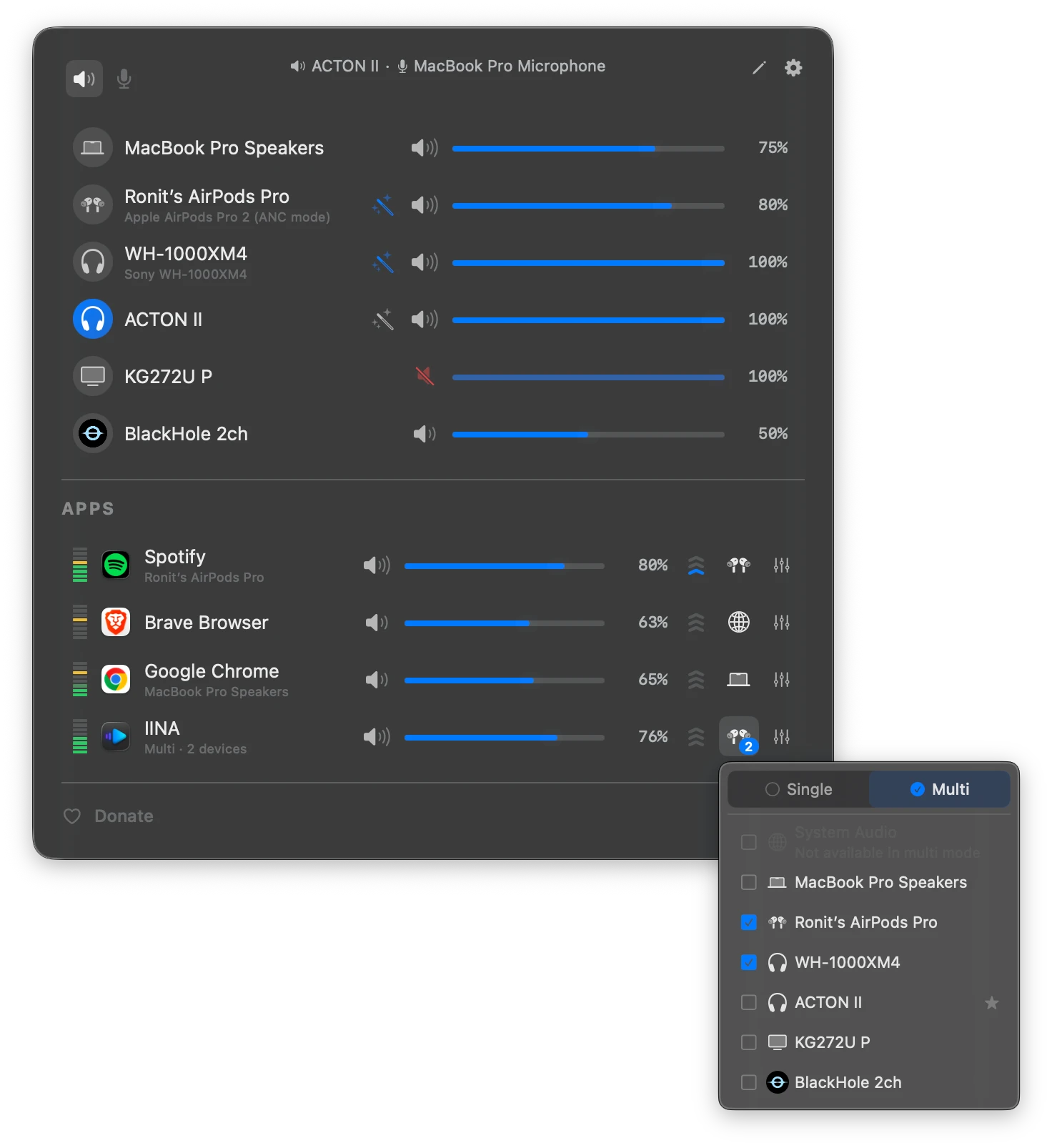
FineTune is an open-source cross-platform app that provides advanced audio management for macOS. It resides in the menu bar, allowing users to control volume levels for individual applications and route audio to different output devices without leaving their current window. This utility is designed to replace the basic system volume control with a more granular mixer that handles multiple audio streams independently.
The application is designed for macOS 15.0 and later. It can be installed via Homebrew or as a manual download. Once granted system audio recording permissions, it automatically detects apps playing audio and presents them as adjustable sliders in the menu bar popup. Users can pin specific apps to keep them visible even when silent, ensuring that volume and routing configurations are ready before audio begins playback.
Key features
- Per-app volume sliders with gain presets up to 4x
- 10-band equalizer with 20 presets and custom user configurations
- AutoEQ headphone correction via imported ParametricEQ.txt files
- Multi-device output routing to send audio to several speakers simultaneously
- Global volume hotkeys for app-specific mute and volume adjustments
- Loudness compensation based on ISO 226:2023 equal-loudness contours
- Device priority settings for automatic switching when hardware connects
- DDC support for controlling volume on external monitor speakers
- URL schemes for automating routing and volume via scripts
Built with Swift and SwiftUI, FineTune includes a smart volume backend that chooses between hardware, DDC, or software volume control based on the device. It is intended for users who need granular control over their audio environment, such as those using multiple output devices or requiring specific frequency corrections for headphones. The app also supports keyboard-driven navigation, allowing users to adjust volumes and switch tabs using arrow keys and shortcuts. Additionally, it offers a device inspector to view sample rates and toggle software-volume overrides for hardware that does not support native sliders.
FineTune serves as a utility for macOS users seeking a transparent and customizable audio mixer that integrates directly into the system menu bar.
Similar Open Source Software

Audacity
A multi track audio editor and recorder for recording, editing, and mixing audio across multiple operating systems.

SpotiFLAC
Downloads music tracks identified on Spotify as lossless FLAC files from Tidal, Qobuz, and Amazon Music.

Join our newsletter to get shiny new open source software delivered to your inbox. Unsubscribe anytime.