
Manage a peer to peer node and content addressed files through a graphical desktop interface.
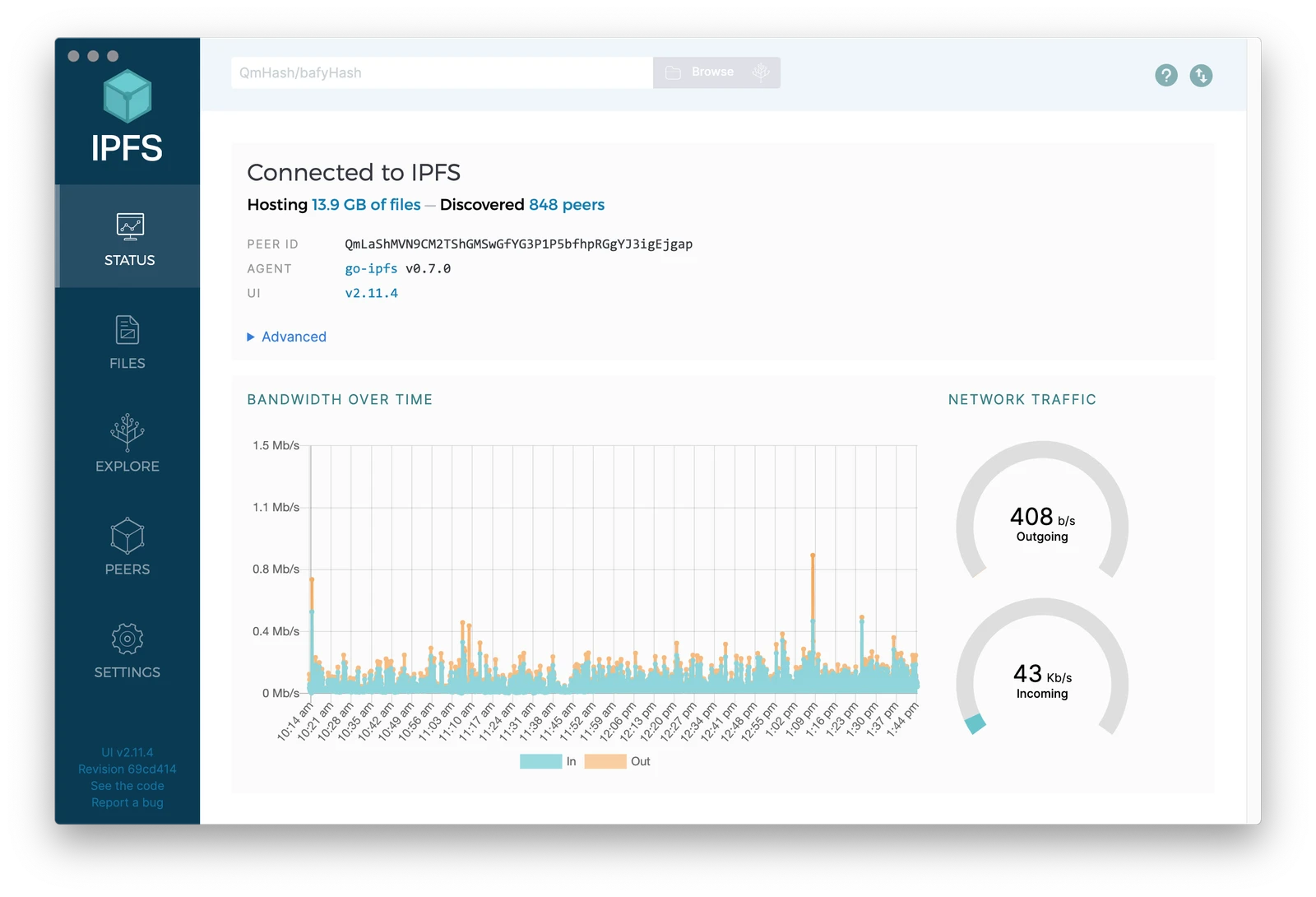
ipfs-desktop is an open-source desktop application that provides a graphical interface for the InterPlanetary File System (IPFS). It serves as a user-friendly alternative to managing an IPFS node via the command line, combining a full node with a visual file manager and system tray integration. The application allows users to interact with the decentralized web by hosting and retrieving data across a peer-to-peer network.
The software is available for Windows, macOS, and Linux. It can be installed via standalone installers, AppImage, or various package managers such as Homebrew, Chocolatey, and WinGet. Users typically employ the tool to get acquainted with IPFS without needing to touch the terminal, or as a fast control panel to supplement an existing command line workflow.
Key features
- Integrated Kubo IPFS node with automatic installation and update checks
- File manager for renaming, moving, and removing node content
- System tray and menubar shortcuts for node control and quick imports
- Support for ipfs:// and ipns:// protocol identifiers at the OS level
- Peer map for visualizing connected nodes and their global locations
- Content explorer to visualize how files are broken into content-addressed pieces
- Ability to pin files to the local node or third-party pinning services
- CLI Tutor Mode to learn command line instructions through the GUI
Architecturally, the application acts as a container that bundles the Kubo node and the IPFS Web UI into a single package. It provides additional OS-specific integrations, such as right-click context menus on Windows for adding files to IPFS and drag-and-drop functionality in the macOS menubar. The software also includes a screenshot tool that imports images to the node and generates a shareable link in one click. It is designed for both beginners who prefer a visual interface and experienced users who require a streamlined way to manage their node connectivity and content.
This tool positions itself as a gateway for users to interact with the decentralized web and the Merkle Forest of IPFS files without requiring deep technical knowledge of peer-to-peer networking.
Similar Open Source Software

SeaweedFS
A distributed file system designed to store billions of files with fast access and horizontal scaling.

Ceph
Provides unified object, block, and file storage from a single cluster built on commodity hardware.
Join our newsletter to get shiny new open source software delivered to your inbox. Unsubscribe anytime.