
Record screens, tabs, or cameras with integrated annotation tools and a built-in editor for creating tutorials.
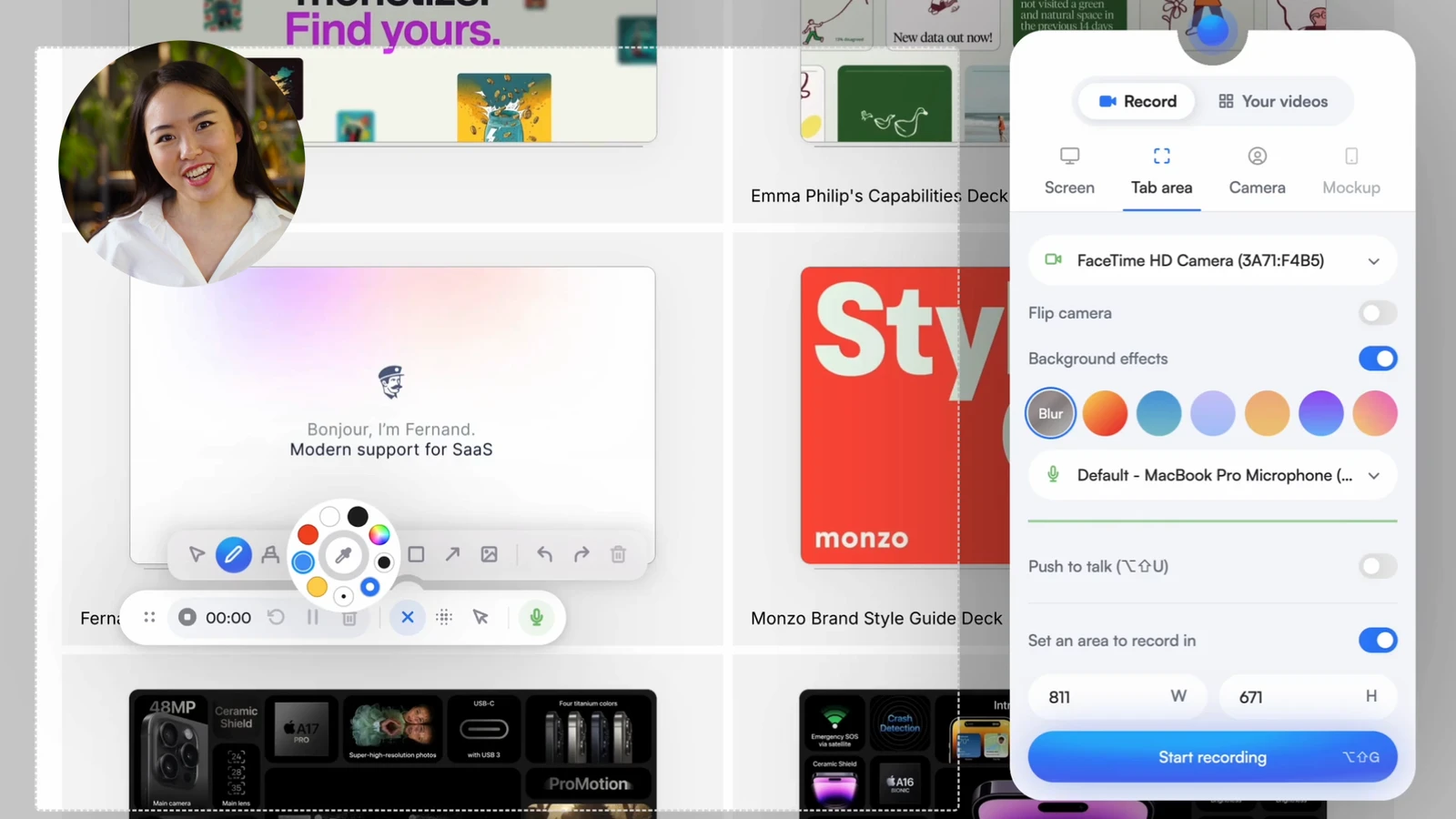
Screenity is an open-source browser extension that provides screen recording and annotation capabilities. It operates as a browser extension, allowing users to capture their screen, specific tabs, or camera without requiring an account or sign-up process. This makes it a viable option for those who want to avoid the subscription models or account requirements typical of proprietary screen capture software.
The tool is used to create product demos, tutorials, and presentations. It can be installed via the Chrome Web Store or loaded locally as an unpacked extension for users who prefer a local-only mode. In this self-hosted configuration, the extension runs entirely locally, disabling API calls and sign-in flows to ensure that no data is sent to external servers.
Key features
- Record tabs, specific screen areas, the full desktop, or the camera
- Capture microphone or internal audio with push to talk functionality
- Annotate recordings with drawings, text, arrows, and shapes
- Blur sensitive content on a page to maintain privacy
- Zoom into specific areas of the recording to focus attention
- Highlight cursor clicks and use a spotlight mode
- Edit videos by cutting, trimming, cropping, or adjusting audio
- Export files in mp4, gif, and webm formats
- Save recordings directly to Google Drive for link sharing
Built with JavaScript and utilizing TensorFlow for AI-powered camera backgrounds and blur effects, Screenity processes data locally. It includes a built-in editor for post-capture adjustments and supports the setting of alarms to automatically stop recordings. The extension also allows users to customize the UI by hiding specific parts or moving the control panel to different screen positions. For developers, the project can be run locally using Node.js and is licensed under GPLv3 for version 3.0.0 and higher.
Screenity is a privacy-focused utility for educators and professionals who need unlimited recording time and integrated annotation tools without data collection.
Similar Open Source Software

OBS Studio
Captures, composites, encodes, records, and streams video content for use across various platforms and live streaming providers.

Recordly
Record screen captures and create polished demo videos with automatic zooms, cursor smoothing, and styled frames.


Join our newsletter to get shiny new open source software delivered to your inbox. Unsubscribe anytime.