
A extensible code editor that combines simple text editing with integrated debugging and build tools.
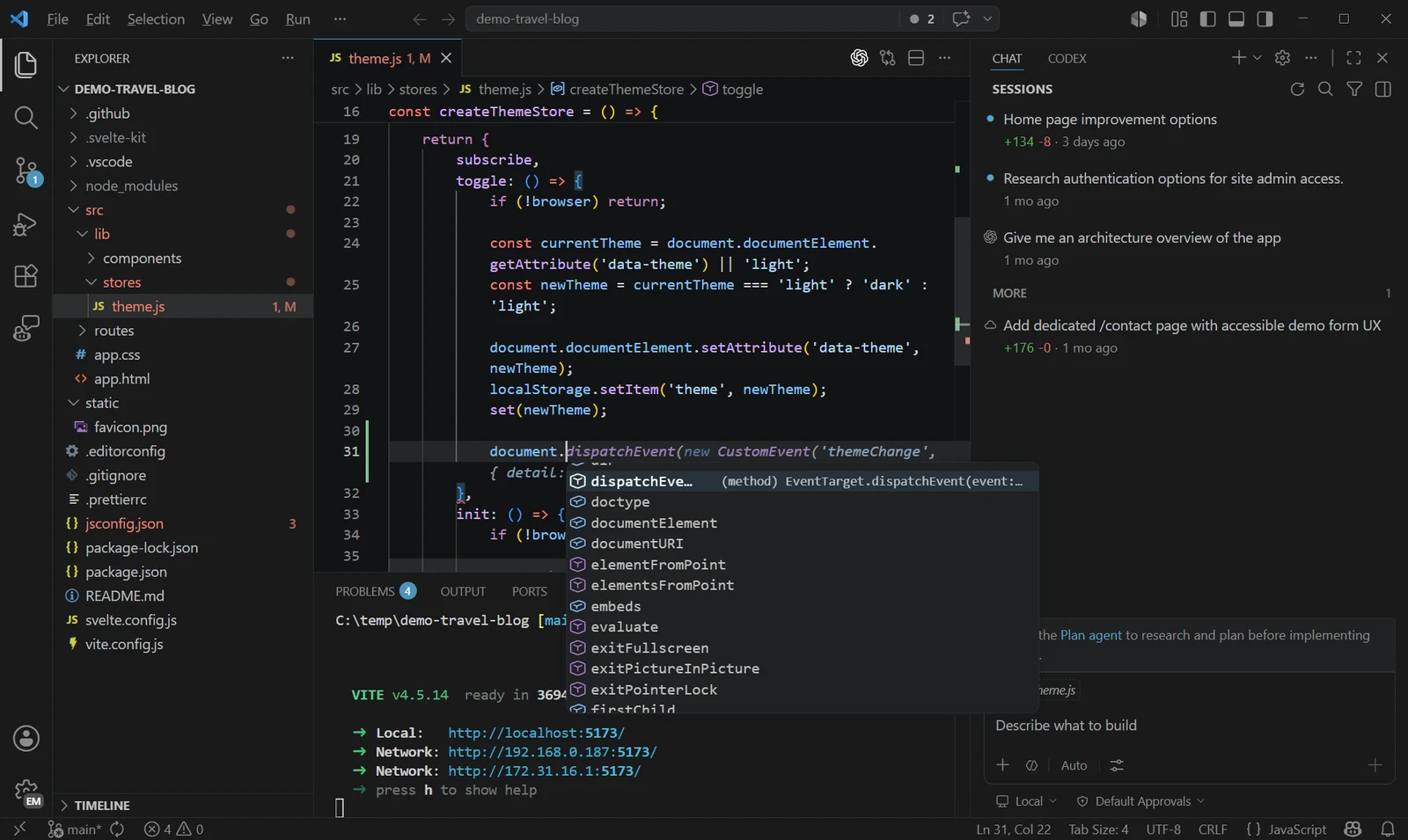
Visual Studio Code is an open-source desktop app that functions as a code editor that integrates the basic tools required for the edit, build, and debug cycle. The software is available for download on Windows, macOS, and Linux, providing a consistent experience across different operating systems for developers who need a reliable environment for writing and managing source code.
Users employ the editor for general purpose programming and development tasks. It provides a balance between a lightweight text editor and a full integrated development environment by offering a core set of tools that can be expanded based on the specific needs of a project. The project is developed as Code-OSS under the MIT license, which allows the community to contribute to the source code, while a branded distribution is provided by Microsoft under a separate product license.
Key features
- Integrated debugging tools for the core development cycle
- Extensibility model for adding custom functionality
- Built-in grammars and snippets for multiple languages
- Code navigation and understanding support
- Integration with existing development tools
- Support for Dev Containers and GitHub Codespaces
- Monthly update cycle for new features and fixes
The application is built using Electron and TypeScript, which allows it to run as a desktop application while leveraging web technologies. It relies on a system of bundled extensions to provide language-specific features, such as inline suggestions and Go to Definition functionality. For example, separate extensions handle basic coloring for JSON and the more complex language features required for deep code analysis. Developers can further customize the environment by installing third-party extensions or contributing directly to the core repository on GitHub.
To facilitate complex setups, the software supports Docker-based development containers. This allows developers to clone repositories into container volumes to improve disk I/O on macOS and Windows. The environment is designed for those who require a highly flexible workspace that can scale from simple text editing to full-scale software engineering.
It serves as a versatile environment for developers who require a customizable editor with professional debugging and navigation capabilities.
Similar Open Source Software

Zed
A high performance code editor written in Rust that supports multiplayer collaboration and integrated artificial intelligence capabilities.

CodeEdit
A native macOS code editor providing a lightweight development experience for projects written in any programming language.

Join our newsletter to get shiny new open source software delivered to your inbox. Unsubscribe anytime.