
Manage Homebrew packages and casks on macOS through a graphical interface instead of the command line.
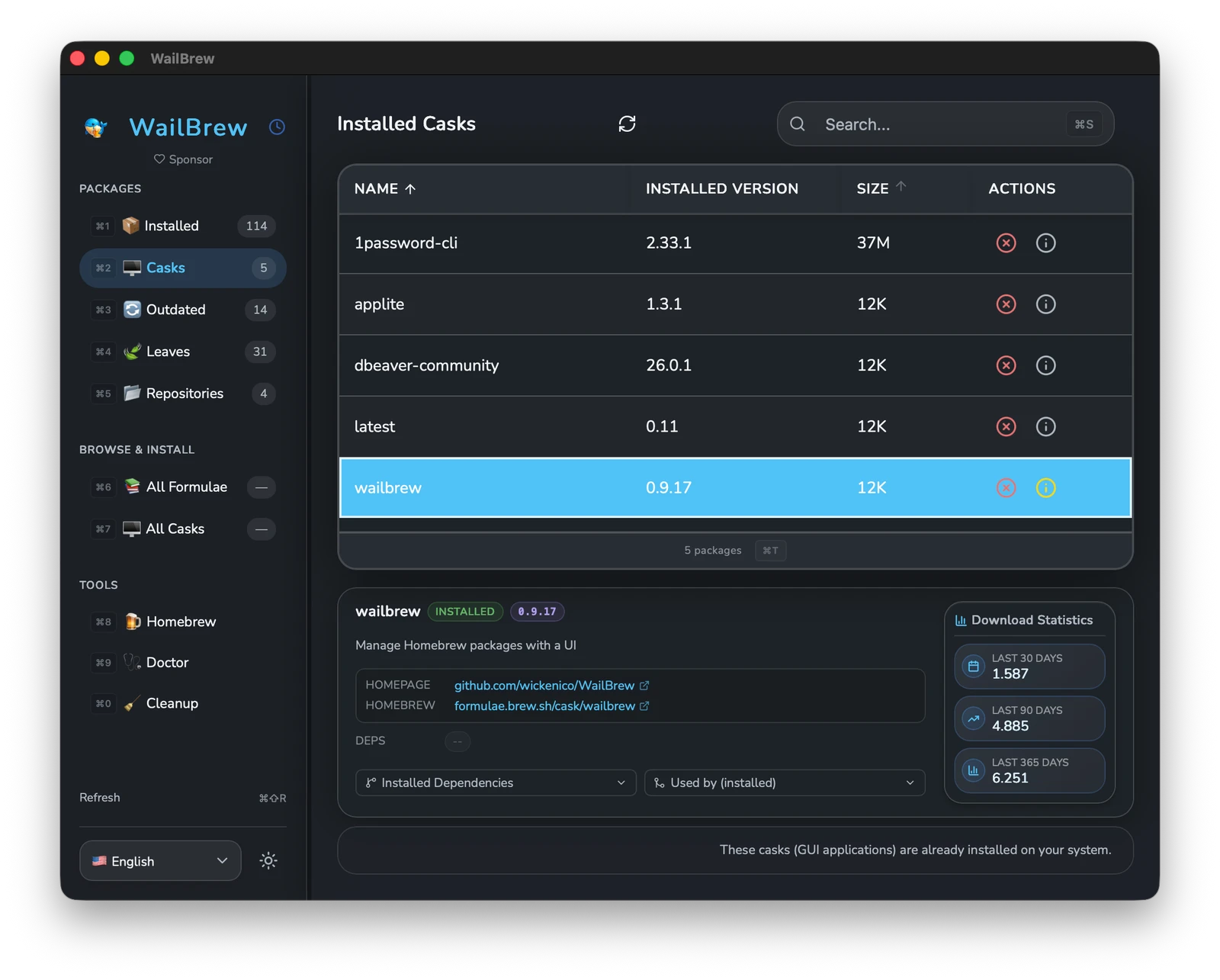
WailBrew is an open-source desktop app that provides a graphical user interface for managing Homebrew on macOS. It allows users to handle package management through a visual window rather than relying exclusively on the command line terminal, making the process of maintaining software more accessible to those who prefer a visual workflow over manual terminal entries.
The application is available for macOS 11.0 (Big Sur) and later, supporting both Apple Silicon ARM and Intel architectures. It is primarily installed via a Homebrew cask command, allowing users to integrate the manager into their system using the very tool it is designed to manage. The application serves as a centralized hub for tracking all installed binaries and GUI applications managed by Homebrew.
Key features
- View and manage installed formulas and casks
- Search for packages with instant filtering
- Install, uninstall, and upgrade packages
- Identify and update outdated packages individually or in bulk
- View package dependencies and conflicts
- Manage Homebrew repositories through tap and untap actions
- Support for multiple languages including English, German, French, and Spanish
The software is built using the Wails framework, which combines a Go backend for native system performance with a frontend developed in React, TypeScript, and Tailwind CSS. This architecture enables a responsive interface that interacts directly with the underlying Homebrew system. By abstracting the command line, it provides a way to monitor versioning and dependencies without needing to memorize specific brew flags or syntax. It is specifically designed for macOS users who want a visual overview of their environment and a simplified method for keeping their software updated.
WailBrew serves as a visual wrapper for the Homebrew package manager on macOS.
Similar Open Source Software


Join our newsletter to get shiny new open source software delivered to your inbox. Unsubscribe anytime.